
In today’s fast-paced world, effective project management is crucial for success. With numerous tasks, deadlines, and team members to coordinate, finding the right tool to streamline your projects is essential. Enter Trello – a popular Kanban-style project management tool that allows you to visualize your work, track progress, and collaborate seamlessly. In this blog post, we will delve into why Trello has become a go-to solution for individuals and teams looking to enhance their project management capabilities.
A Visual Approach to Project Management
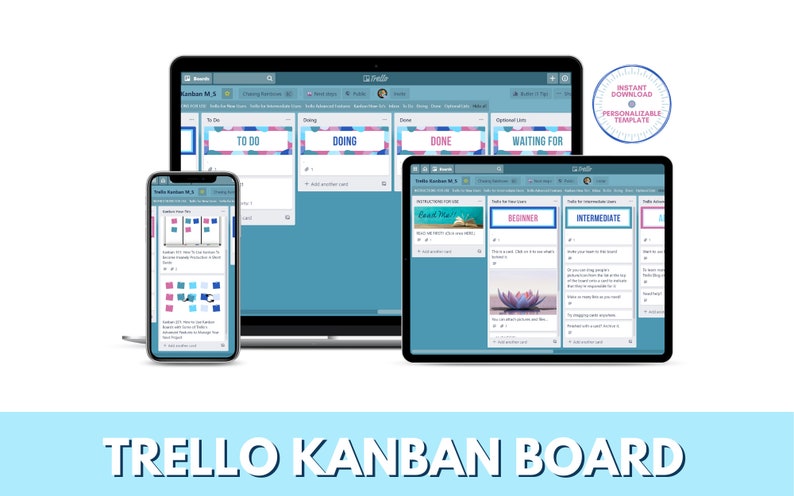
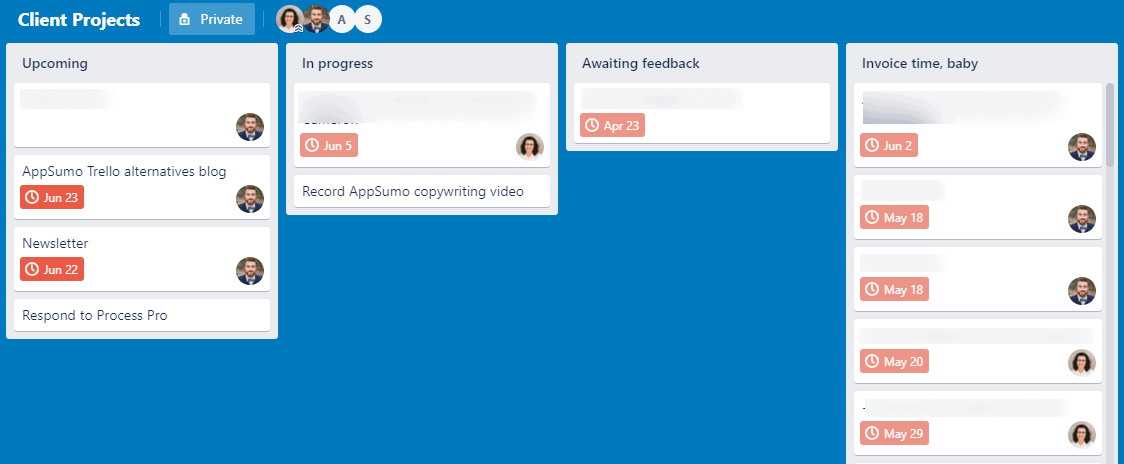
Trello stands out with its intuitive Kanban-style interface, which enables you to organize and visualize your tasks using boards, lists, and cards. You can create multiple boards for different projects or departments, and within each board, you can create lists that represent different stages or categories of tasks. The tasks themselves are represented by cards that can be moved across lists as they progress. This visual approach provides a clear overview of your project’s status and allows for easy tracking and prioritization.
Collaboration Made Effortless
One of Trello’s standout features is its emphasis on collaboration. You can invite team members to boards and assign them to specific cards or tasks. This fosters transparency, accountability, and effective communication among team members. Each card can have attachments, checklists, due dates, and comments, making it easy to provide updates, feedback, and relevant information. With Trello, collaboration becomes seamless, regardless of whether your team is in the same office or spread across different locations.
Customization to Suit Your Workflow
Trello understands that every team and project is unique, which is why it offers extensive customization options. You can create custom labels, tags, or color-coded categories to match your specific workflow. Additionally, you can set up automation using Trello’s “Butler” feature, which allows you to create rules and triggers that automate repetitive tasks, saving you time and effort. Whether you follow Agile, Scrum, or your own project management methodology, Trello can adapt to fit your needs.
Integration with Third-Party Tools
To further enhance its functionality, Trello integrates seamlessly with numerous third-party tools and services. You can connect Trello with popular communication platforms like Slack or Microsoft Teams, enabling you to receive notifications and updates directly within your project boards. Integration with cloud storage services such as Google Drive or Dropbox allows you to attach files from your preferred storage solution. These integrations eliminate the need to switch between different apps and centralize all project-related information within Trello.
Mobile Accessibility on the Go
Trello’s mobile app ensures that you can stay connected and productive while on the move. The app provides a smooth and responsive experience, allowing you to access your project boards, create or edit cards, and stay updated on project progress from your smartphone or tablet. Whether you’re commuting, traveling, or away from your desk, Trello ensures that you remain connected to your projects.
Conclusion
Trello’s Kanban-style project management approach, coupled with its collaborative features and extensive customization options, makes it a powerful tool for individuals and teams alike. It simplifies project tracking, promotes transparency, and enhances team collaboration. With Trello, you can visualize your work, streamline your projects, and achieve your goals efficiently.
So why wait? Give Trello a try and experience a new level of project management success!
FAQs (Frequently Asked Questions)
- Is Trello suitable for both personal and team use? Absolutely! Trello is designed to cater to individuals, small teams, and large organizations. It offers features that can be adapted to suit personal projects, team workflows, or cross-department collaboration.
- Can I use Trello for agile project management? Yes, Trello is highly versatile and can be easily adapted to agile project management methodologies like Scrum or Kanban. Its customizable boards, lists, and cards allow for easy implementation of agile practices.
- Can I export my Trello data? Yes, Trello allows you to export your boards and data in various formats, such as JSON or CSV. This ensures that you can retain your project information even if you decide to switch to a different project management tool.
- Is Trello secure? Trello takes security seriously and employs industry-standard measures to protect your data. They utilize encryption, secure connections, and regular security audits to ensure your information remains safe.
- Can Trello integrate with other tools I use? Yes, Trello offers a wide range of integrations with third-party tools, including communication platforms, cloud storage services, time-tracking apps, and more. These integrations enhance the functionality and connectivity of Trello with your existing tools and workflows.

 software reviews