In the digital age, staying organized and productive is crucial for success. With countless tasks, projects, and information to manage, finding a reliable tool to keep everything in one place can be a game-changer. Enter Notion – a powerful note-taking app that goes beyond traditional note-taking and offers a wide range of features for task management, project planning, and more. In this blog post, we will explore why Notion has become the go-to productivity app for individuals and teams worldwide.
A Note-Taking App Like No Other
Notion stands out from the crowd of note-taking apps with its versatility and flexibility. While it excels at capturing and organizing notes, it goes beyond simple text-based notes by allowing you to create rich multimedia pages. You can easily embed images, videos, and even code snippets into your notes, making it a valuable tool for students, professionals, and creatives alike.
Task Management Made Easy
One of Notion’s standout features is its robust task management capabilities. With Notion, you can create to-do lists, set due dates, assign tasks to team members, and track progress – all within a single platform. Whether you’re working on a personal project or collaborating with a team, Notion’s task management features ensure that nothing falls through the cracks. With its intuitive interface and customizable workflows, you can easily adapt Notion to suit your preferred task management methodology, be it Kanban, GTD (Getting Things Done), or Agile.
Project Planning and Organization
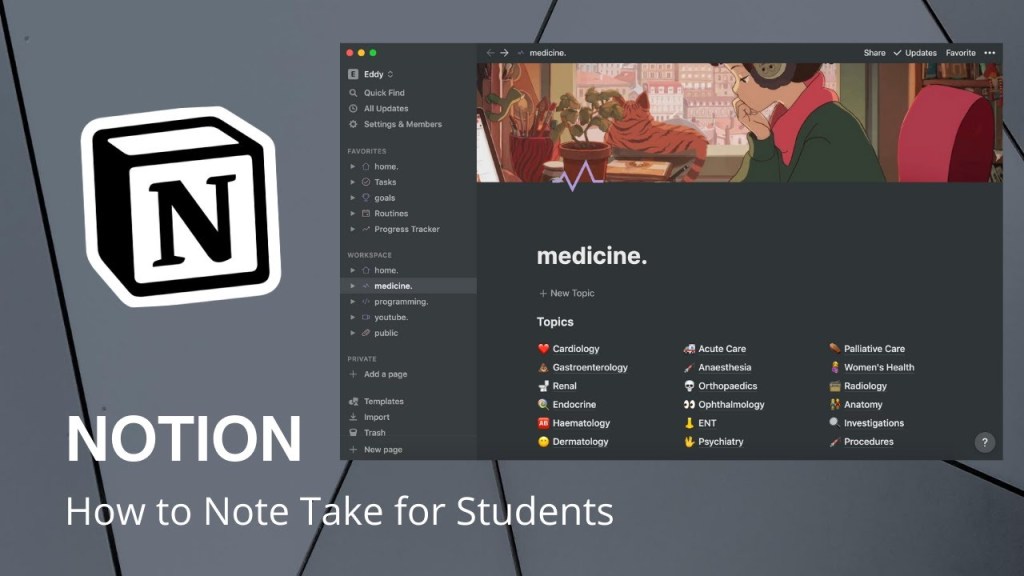
Beyond note-taking and task management, Notion offers powerful project planning and organization features. You can create project boards, timelines, and Gantt charts to visualize your projects and track their progress. Notion’s database capabilities allow you to create custom databases for project-related information, such as resources, contacts, or milestones. By centralizing all project-related data in one place, Notion eliminates the need for multiple tools and ensures seamless collaboration and communication among team members.
Collaboration and Knowledge Sharing
Notion’s collaborative nature sets it apart from traditional note-taking apps. You can invite team members to collaborate on notes, tasks, and projects, fostering a sense of shared ownership and accountability. Real-time editing and commenting make it easy to work together, exchange ideas, and provide feedback. Furthermore, Notion’s granular permission settings allow you to control who can view, edit, or comment on specific content, ensuring that sensitive information remains secure.
Customization to Fit Your Workflow
Notion’s greatest strength lies in its flexibility and customization options. You can create templates and customize them to fit your specific needs, whether it’s for meeting notes, project planning, or personal goal tracking. Notion’s extensive library of pre-built templates serves as a starting point and inspiration for various use cases. Additionally, its powerful database properties, formulas, and filters enable you to create dynamic and interactive pages that adapt to your data.

Mobile and Cross-Platform Accessibility
Notion understands the importance of seamless access to your information across devices. It offers robust mobile apps for iOS and Android, allowing you to stay productive on the go. Notion’s synchronization capabilities ensure that your notes and tasks are always up to date, regardless of the device you’re using. Whether you’re working on your laptop, tablet, or smartphone, you can access your information anytime, anywhere.
Conclusion
Notion has revolutionized the way we take notes, manage tasks, and plan projects. Its flexibility, powerful features, and intuitive interface make it an indispensable tool for individuals and teams seeking to enhance their productivity and organization. Whether you’re a student, professional, or entrepreneur, Notion empowers you to streamline your workflows, collaborate seamlessly, and achieve your goals efficiently.
So why wait? Give Notion a try and unlock your full productivity potential!
FAQs (Frequently Asked Questions)
- Is Notion available for free? Yes, Notion offers a free plan with basic features. However, they also offer premium plans with additional features and enhanced collaboration options.
- Can I use Notion offline? Yes, with the mobile app, you can access your notes and tasks offline. Any changes made while offline will sync when you’re back online.
- Can I import my existing notes into Notion? Absolutely! Notion allows you to import data from other note-taking apps like Evernote, OneNote, and Markdown files.
- Is Notion suitable for large teams? Yes, Notion is designed to cater to both individuals and teams of all sizes. Its collaboration features and flexible customization options make it ideal for large-scale projects and team workflows.
- Is my data secure on Notion? Notion takes data security seriously. They employ industry-standard encryption and security measures to ensure your information is protected.

 software reviews