In today’s fast-paced and interconnected world, effective project management is essential for teams to succeed. With multiple tasks, deadlines, and team members to coordinate, finding the right tool to streamline your projects becomes crucial. Enter Asana – a robust project management tool designed to help teams collaborate, communicate, and stay organized. In this blog post, we will explore why Asana has become a go-to solution for teams seeking efficient project management.
Streamlined Collaboration and Communication
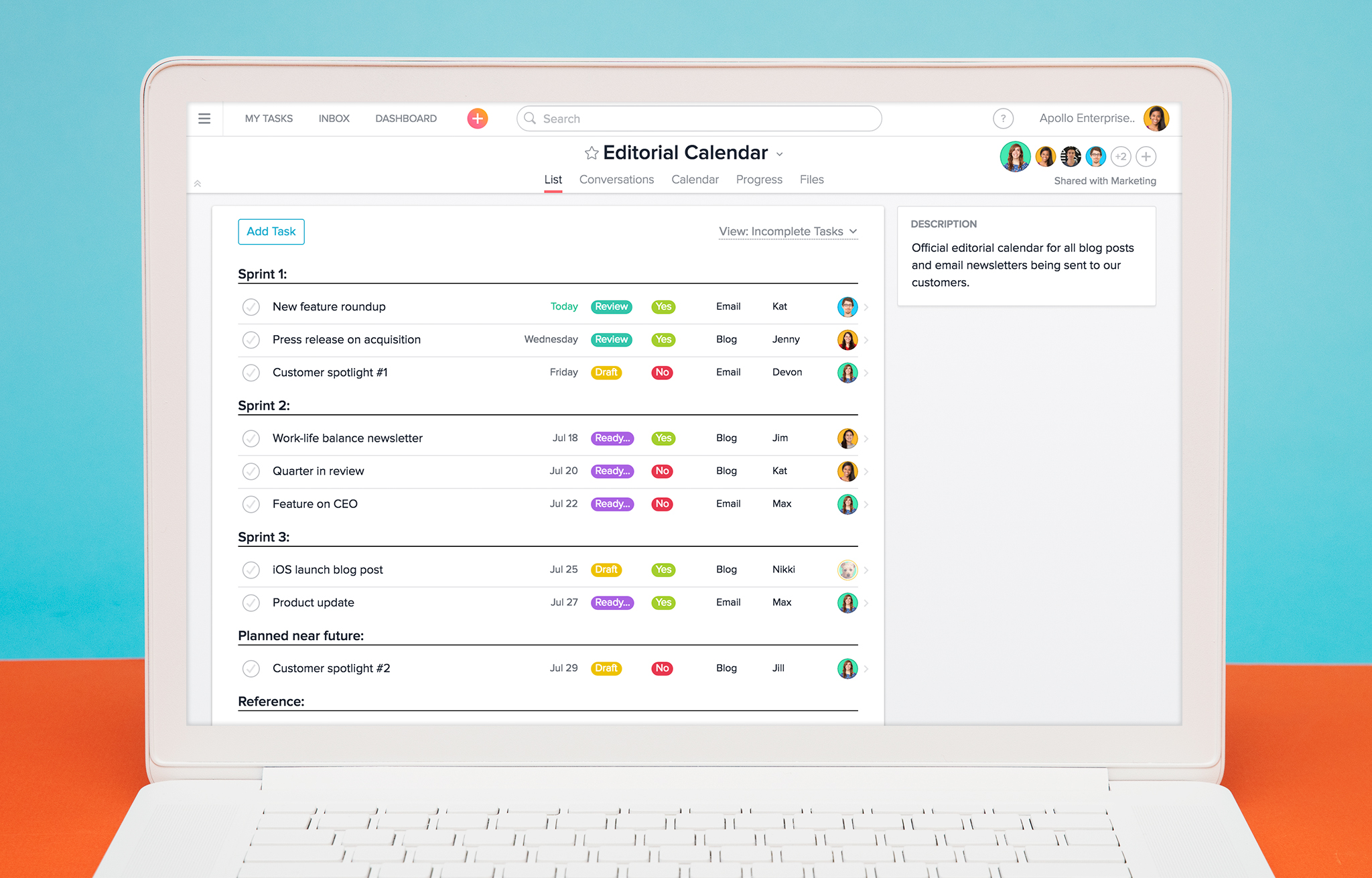
Asana excels in fostering collaboration and communication among team members. With its user-friendly interface and intuitive design, Asana provides a platform where teams can easily share ideas, assign tasks, and provide updates. You can create projects, break them down into tasks, and assign responsibilities to team members. Asana’s real-time updates and notifications ensure that everyone stays informed and connected, regardless of their location or time zone.
Task Organization and Tracking
One of Asana’s standout features is its ability to help teams organize their work and track progress effectively. You can create tasks, assign due dates, and set dependencies to ensure that tasks are completed in the right order. Asana’s visual boards, lists, and calendars provide clear overviews of tasks, deadlines, and project milestones. With customizable views and filters, you can tailor Asana to fit your team’s workflow and preferences.
Efficient Project Planning
Asana offers a variety of features to facilitate project planning and management. You can create project timelines, set milestones, and allocate resources to ensure smooth project execution. Asana’s Gantt charts provide a visual representation of project timelines, dependencies, and progress. This allows teams to identify potential bottlenecks, adjust schedules, and make informed decisions to keep projects on track.
Collaboration Beyond the Team
Asana recognizes that collaboration extends beyond the immediate team. It offers features to collaborate with external stakeholders, clients, or partners. You can invite external guests to specific projects or tasks, granting them limited access to collaborate and provide input. This functionality enables seamless collaboration with clients or contractors, fostering transparency and enhancing project outcomes.
Integration with Third-Party Tools
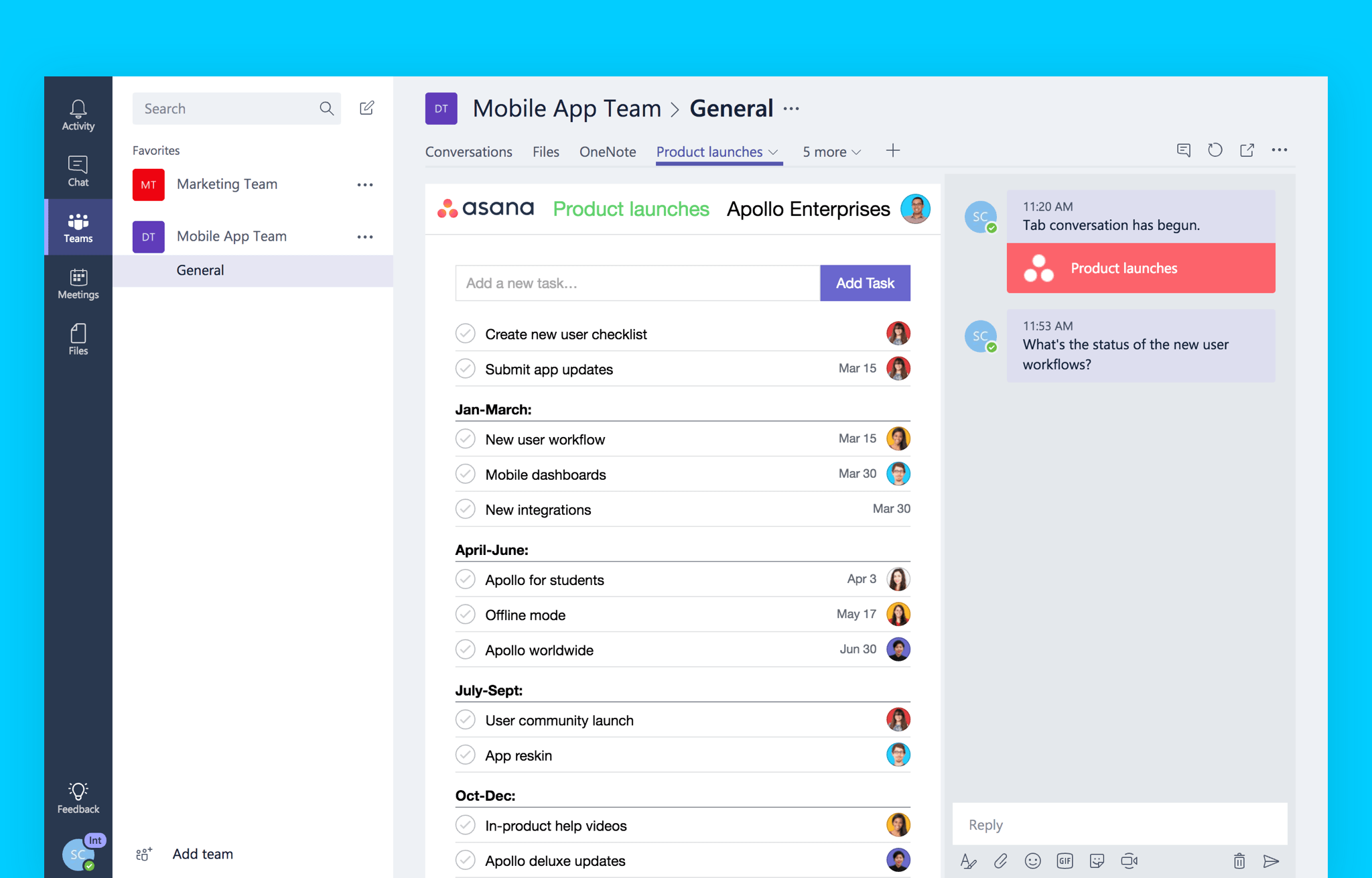
To enhance its functionality, Asana integrates seamlessly with various third-party tools and services. You can connect Asana with communication platforms like Slack or Microsoft Teams, ensuring that project-related discussions and updates are centralized. Integration with file storage services such as Google Drive or Dropbox allows for easy attachment and sharing of project files. These integrations eliminate the need to switch between different tools, improving efficiency and collaboration.
Mobile Accessibility on the Go
Asana’s mobile app ensures that teams can stay connected and productive even when on the move. The app provides a seamless and intuitive experience, allowing you to access your projects, tasks, and discussions from your smartphone or tablet. Whether you’re commuting, traveling, or away from your desk, Asana ensures that you can stay connected and informed.

Conclusion
Asana empowers teams with its robust project management features, streamlined collaboration, and efficient communication capabilities. With Asana, teams can stay organized, set clear objectives, and track progress effectively. Whether you’re working on a small-scale project or managing complex initiatives, Asana provides the tools and functionality needed to achieve project success.
So why wait? Elevate your team’s project management experience and streamline your workflow with Asana!
FAQs (Frequently Asked Questions)
- Is Asana suitable for teams of all sizes? Absolutely! Asana caters to teams of all sizes, from small startups to large enterprises. Its scalability and customization options make it adaptable to the unique needs and workflows of different teams.
- Can I integrate Asana with my existing tools and workflows? Yes, Asana offers a wide range of integrations with popular tools and services, including communication platforms, file storage solutions, time-tracking apps, and more. These integrations ensure seamless connectivity and streamlined workflows.
- Can I try Asana before committing to it? Asana offers a free plan with limited functionality, allowing you to explore its features and evaluate its suitability for your team. Additionally, they provide a trial period for their premium plans, giving you the opportunity to experience the full range of features before making a decision.
- Is Asana secure? Asana prioritizes the security and privacy of user data. They employ industry-standard encryption, secure connections, and regular security audits to ensure the safety of your information.
- Can I customize Asana to fit my team’s workflow? Yes, Asana offers extensive customization options, allowing you to tailor the tool to your team’s specific workflow. You can create custom fields, templates, and views to match your team’s preferences and project requirements.

 software reviews